 Personalized Search
 Category Merchandising
 Product Recommendations
 Post-Purchase Upsell
 Dynamic Bundles
 Personalized Emails
 A/B Testing & Optimization
 Content Personalization
 Behavioral Pop-Ups
 Shoppable UGC
 Shopify Plus
 Shopify
 Salesforce Commerce Cloud
 Shopware
 Adobe Commerce
 BigCommerce
 Klaviyo
 Attentive
 Yotpo
Yotpo Tapcart
 Google Analytics
 TikTok
 Instagram
 Facebook
Autocomplete boosts revenue by getting shoppers to the right products faster. Showing items, categories, and trends as they type cuts drop-offs and guides high-intent buyers straight to a checkout.

How quickly do shoppers find the products when they type into your ecommerce search bar? These high-intent visitors are 2-3x more likely to buy than other browsers, yet a lot of brands still have a search engine that cannot comprehend simple typos, synonyms, and actual shopper intent.
When you rely on basic keyword matching, you lose these high-intent buyers. To solve this, the Baymard Institute reports that 90% of major ecommerce sites now use an ecommerce search autocomplete box.
But how does this work, and how can you choose an ecommerce search platform that delivers the best results? Let’s find out.
Short on time? Here is exactly what your ecommerce team needs to evaluate in an ecommerce search platform before launching it:
Autocomplete on an ecommerce platform does much more than predict the next few words in a search query. Modern ecommerce search engines use behavioral data, semantic artificial intelligence (AI), merchandising logic, and real-time ranking systems to guide shoppers toward relevant products faster.
Below are the core layers that ecommerce autocomplete works through:

Your autocomplete search for ecommerce works best when it combines multiple suggestion types inside a single dropdown. Shoppers arrive at your store with different levels of intent. This means that your website search experience needs to handle quick word completion, direct product discovery, and casual browsing all at the same time.
Below are the 4 main suggestion types along with some ecommerce search examples.
Keyword autocomplete predicts the rest of a shopper’s query using historical searches, co-occurring terms, and spelling patterns. This helps shoppers move through high-intent searches faster while reducing friction inside the ecommerce search experience.
PranaHaus uses keyword autocomplete to guide shoppers from their very first keystroke. When a shopper types, the search bar instantly shows matching phrases, specific collections, and trending searches like “Kerzen” (candles) or “Kalender” (calendars).
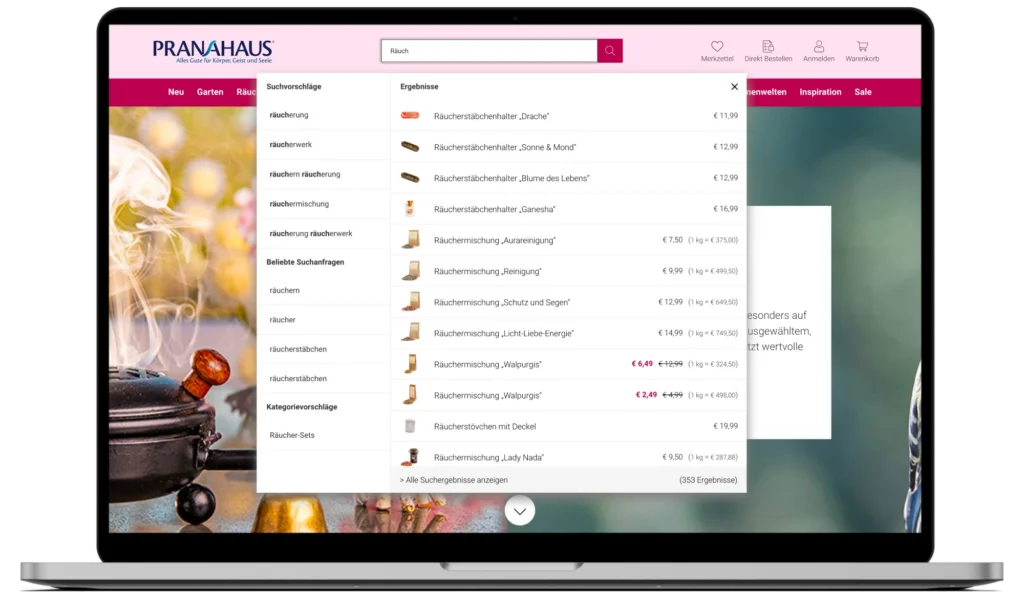
The result is a more intuitive search experience that increased the autocomplete click-through rate to 22%.
Product autosuggest surfaces all relevant products directly inside the search dropdown, along with images, prices, and stock status. This instantly lets shoppers compare multiple items and add them to the cart without waiting for a full results page to finish loading.
The clothing brand A.L.C pairs keyword suggestions with real product previews. When a website visitor types “cotton,” the dropdown bar shows matching clothing items right next to the search terms.
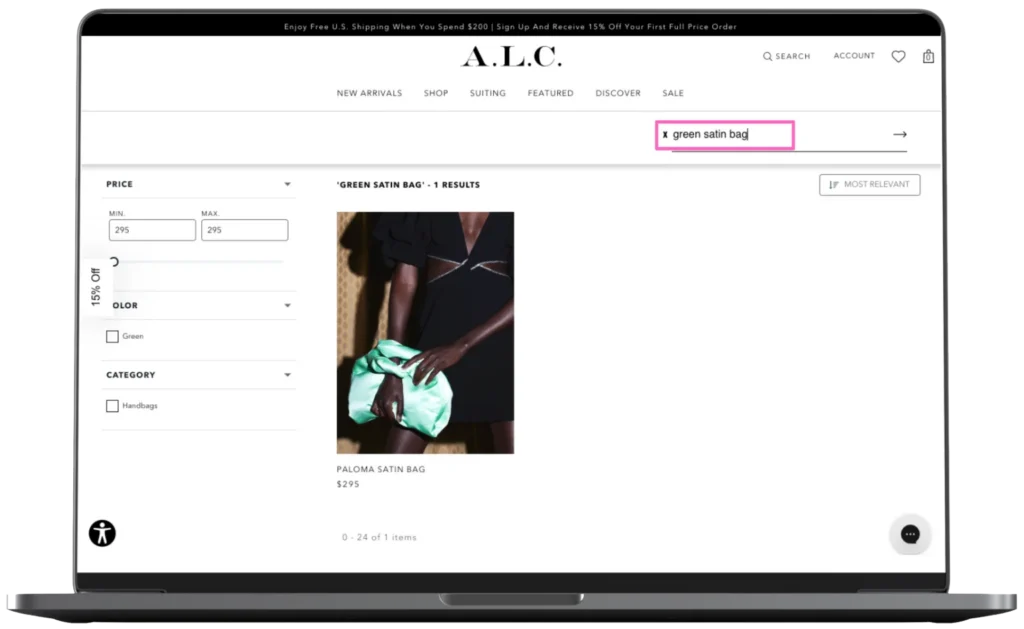
Using Personalized Search to manage this, A.L.C. increased CTR on search pages by 30% while conversion rate (CVR) more than doubled within targeted sale-rule experiences.
Category and collection merchandising point shoppers toward broader browsing paths when they aren’t looking for a single specific item. This is very important for brands with large catalogs, as it allows buyers to land on structured category pages where they can filter and narrow down their options.
For example, The WOD Life uses Category Merchandising to dynamically adjust product order and selection based on shopper behavior. Their site also aids discovery by suggesting broader pathways right in the search layer, like new arrivals or trending collections.
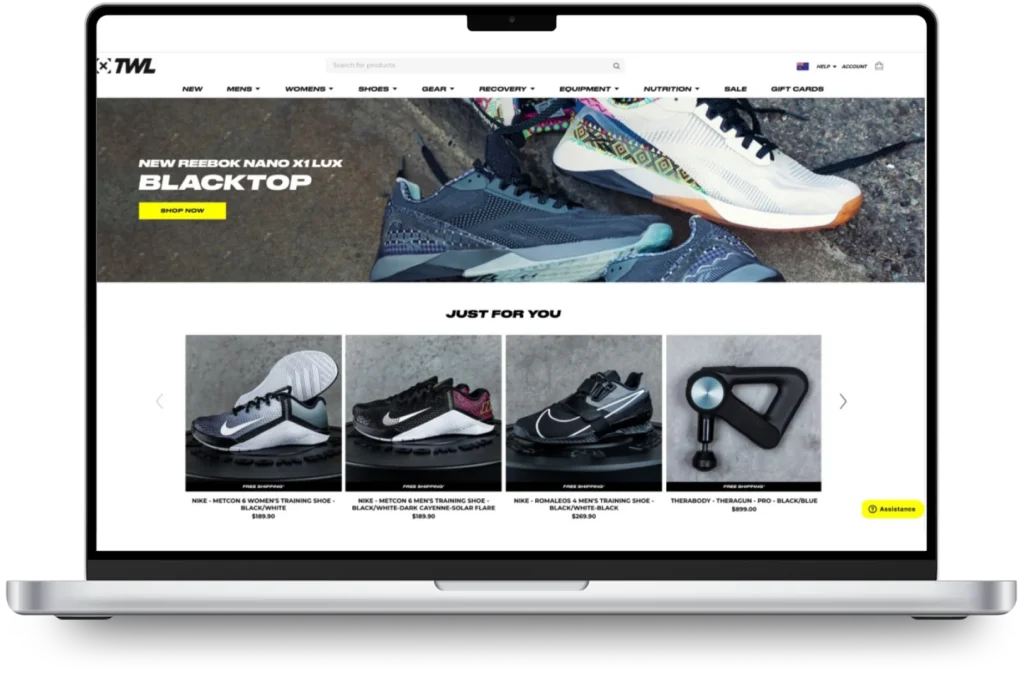
You can easily guide undecided shoppers by showing them what is selling fast on your site right now. By tracking recent search habits and seasonal demand, your search bar automatically points browsing customers straight to your best-performing products.
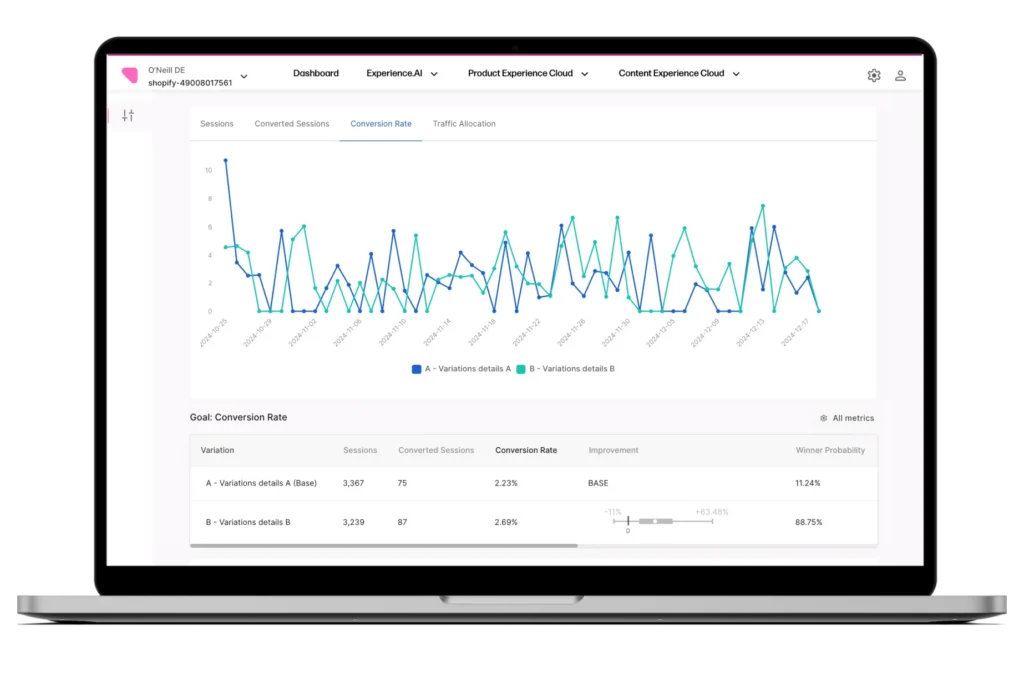
O’Neill takes this a step further by A/B testing its search merchandising rules across European storefronts. Instead of relying on a fixed ranking strategy, the brand tested different ranking signals to determine which products shoppers were most likely to buy.
This optimization strategy boosted conversion rates by 21% in the Netherlands and Germany, and 15% in France.
Below are some of the primary benefits enterprise brands usually see after using ecommerce search autocomplete:
Some ways to design an effective and high-performing autocomplete experience at scale are:
Start by tracking how people use your search bar. Watch the search words they type, what they click, and where they leave your site. This data shows you exactly where your ecommerce search autocomplete box helps and where shoppers get stuck.
You can help shoppers find what they need even when they make mistakes. Good ecommerce search engines use typo tolerance and synonym rules to catch misspellings and different phrasing. As your system gathers more shopper data, your ecommerce search bar gets smarter at showing the right results.
Make your search easy for everyone to use. For mobile shoppers, design a sticky search bar with large, thumb-friendly tap targets that react instantly. For desktop and accessibility needs, ensure users can scroll through suggestions using their keyboard arrow keys and select an item by pressing “Enter”.
High-performing ecommerce search experiences improve through continuous optimization. Track ecommerce metrics that drive growth, such as suggestion click-through rate, zero-result searches, search conversion rate, and revenue per search session, to identify opportunities.
Once you spot a problem, run A/B tests on your suggestions, merchandising rules, or product rankings to see what works best. Testing your changes with real data removes the guesswork so you can confidently deploy the strategies that bring in the most sales.
Here is how to evaluate an autocomplete platform for your tech stack, broken down into core criteria and the specific questions you should ask vendors:
| Criteria | What to look for | Questions to ask vendors |
| AI & semantic understanding | Goes beyond exact-match keywords to grasp buyer intent using vector search and natural language processing (NLP). | How does the tool handle long-tail, vague, or misspelled queries? Does it learn from customer behavior automatically? |
| Data unification & tech stack fit | Connects customer, product, inventory, and transaction data across commerce systems, including PIM, CDP, ESP, and POS platforms. | How does the platform unify online and in-store data to improve autocomplete relevance and personalization? |
| Merchandising controls | Allows business users to boost, bury, pin, and target specific audiences inside the dropdown without code. | Can our merchandising team update rules and run promotions instantly without waiting on engineering support? |
| Deployment & time to value | Offers flexible application programming interfaces (APIs) and frontend tools that plug into your existing commerce stack without a lengthy rebuild. | What is the average implementation timeline, and how much engineering lift is required to go live? |
| Support and optimization | Includes built-in A/B testing, detailed analytics, and strategic guidance to continuously improve performance. | How do you help us track and optimize key performance indicators (KPIs) like zero-result rates, search conversions, and revenue per search? |
Nosto checks all these boxes by bringing your autocomplete, search AI, merchandising, and personalization together in one place. Powered by experience.AI™, it links how people shop with your actual product data, making sure your customers see the most relevant items across your entire site.
Schedule a demo to see how Nosto improves ecommerce search performance at scale.
These are the questions Heads of Ecommerce and Chief Digital Officers ask most often when scoping an autocomplete solution.
Autocomplete boosts revenue by getting shoppers to the right products faster. Showing items, categories, and trends as they type cuts drop-offs and guides high-intent buyers straight to a checkout.
Autocomplete predicts the rest of a shopper’s query as they type. Autosuggest expands on that by showing products, categories, collections, and related searches directly inside the dropdown.
Most modern ecommerce search engines have both features to help shoppers find the right product faster.
Yes, you can integrate ecommerce search autocomplete with Shopify, BigCommerce, WooCommerce, and other commerce platforms through APIs, apps, or native integrations.
On WooCommerce and WordPress, autocomplete layers into your existing storefront search while supporting product catalog sync, merchandising controls, and behavioral search data.
An autocomplete search engine works best with clean catalog data, search history, clicks, and conversion signals. High-quality product data helps the system rank the right results as shoppers type.
Connecting autocomplete to your inventory and promotions ensures suggestions stay relevant to buyers and profitable for your business.
Ecommerce search autocomplete helps shoppers find relevant products faster, refine intent earlier, and navigate large catalogs with less friction. Modern autocomplete combines semantic AI, behavioral data, merchandising logic, and vector search to improve search relevance and overall ecommerce performance.
Nosto’s Personalized Search supports predictive autocomplete that surfaces products, collections, and popular searches in real time as shoppers type. Combined with semantic AI, merchandising controls, and sub-100ms response times, it helps enterprise brands deliver faster, more relevant search experiences across large product catalogs.
Book a demo to see how Nosto helps enterprise brands deliver faster, more intelligent ecommerce search experiences.
Nosto, the agentic Commerce Experience Platform (CXP), today announced a new partnership with Showroomprivé, one of Europe’s largest online private sales players, ranked in the top 5 in the Fashion category in the latest Harris Interactive–a Toluna company x FEVAD 2025 study. A landmark Shopify replatform The partnership supports Showroomprivé’s migration to Shopify Enterprise with a […]
Read more
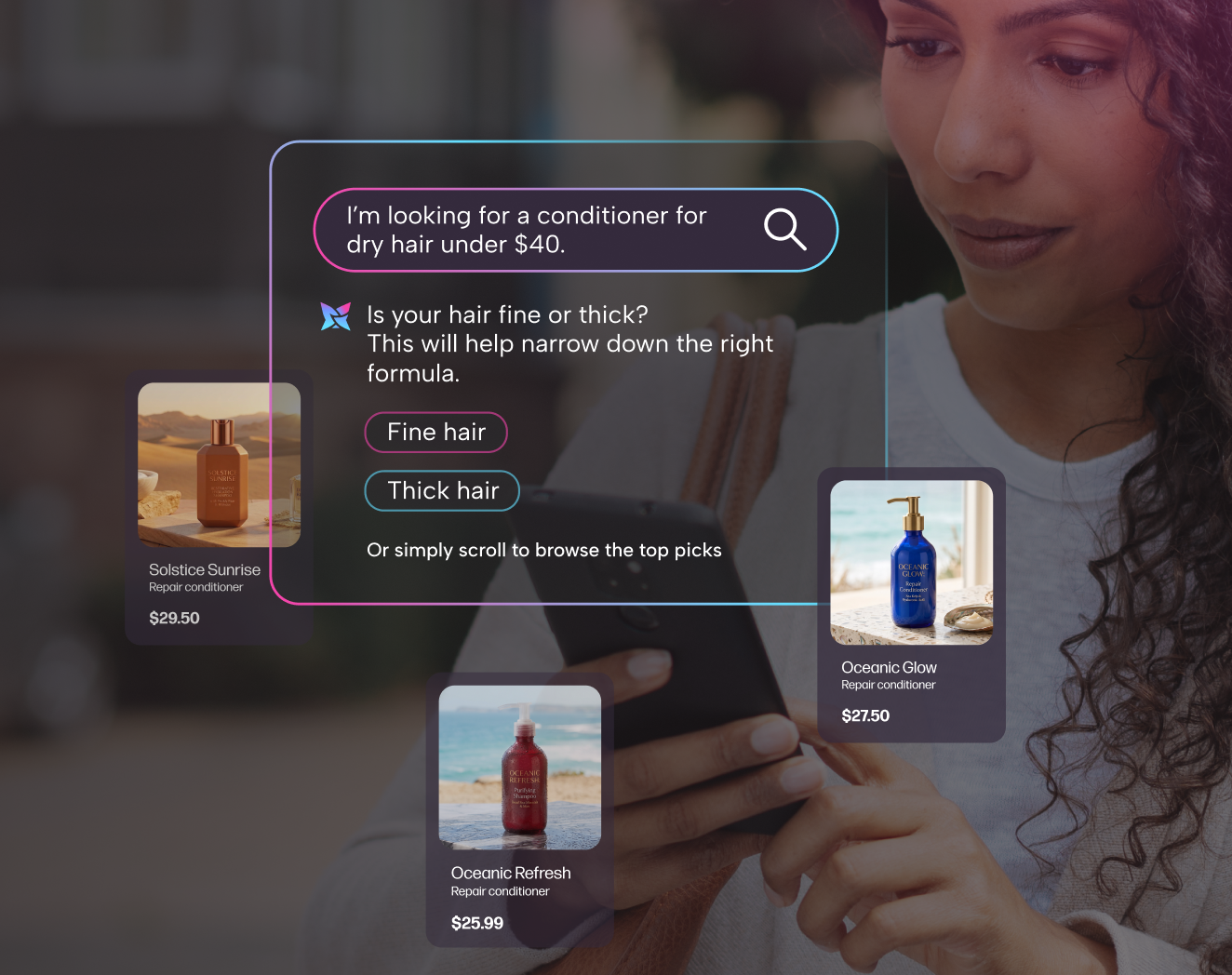
40% of online shoppers are likely to turn to AI assistants if retailers’ onsite search doesn’t deliver – while 72% have already tried or are open to retailers using AI to improve their onsite search New York, September 18 – 59%¹ of US and UK consumers surveyed admit they often leave ecommerce stores because the […]
Read more
Nosto has been recognized as a Klaviyo Premier Technology Partner, the highest tier in Klaviyo’s technology partner program. This achievement marks an important milestone in our long-standing partnership with Klaviyo and reflects our continued investment in the AI Customer Journey Integration, which brings together Klaviyo’s customer intelligence and Nosto’s commerce intelligence to create more connected […]
Read more